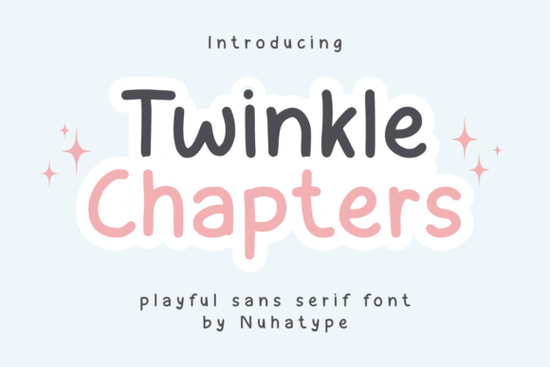
Twinkle Chapter is a thin, minimalist sans serif font designed to look like natural handwriting. If you're working on planners, journals, KDP interiors, or crafting projects, this font offers a clean and understated style that works across a surprising number of uses. It's the kind of typeface that doesn't try too hard and that's exactly what makes it so versatile for designers, small business owners, and creative hobbyists alike.
What Makes Twinkle Chapter Different from Other Thin Fonts?
Most thin fonts feel cold or overly geometric. Twinkle Chapter takes a different approach by blending the simplicity of a sans serif with the warmth of handwritten letterforms. The strokes are delicate but still easy to read, even at smaller sizes. This balance makes it a strong pick for designs where you want something soft but not sloppy.
Compared to bolder display fonts like Crumbs, Twinkle Chapter sits quietly in the background. It supports your layout rather than competing with it. That's a quality that matters when you're designing planners, quote cards, or packaging labels where legibility comes first.
Where Does This Font Work Best?
Twinkle Chapter is built for projects that need a light, human touch. Here are some of the most common uses:
- Planners and journals daily, weekly, or monthly layouts
- KDP interiors low-content books like gratitude journals, reading logs, and habit trackers
- Stickers and labels especially for small business packaging
- Cricut and Silhouette projects vinyl decals, tote bags, mugs, and tumblers
- Print-on-demand products apparel, home décor, and accessories
- Inspiring quotes and wall art where the message should stand out, not the font
Its thin letterforms also make it a good pairing option. You can combine it with a script or serif font for headers while using Twinkle Chapter for body text. If you're looking for something with a bit more personality for your headings, Lavender Magic pairs nicely alongside it.
Is Twinkle Chapter a Good Choice for KDP and Low-Content Books?
Yes, and here's why: KDP interiors need fonts that print cleanly at small sizes without looking too heavy on the page. Twinkle Chapter's thin strokes keep layouts feeling open and breathable. It works well for page numbers, section headers, and interior text in planners, composition notebooks, and guided journals.
For sellers creating low-content books on Amazon KDP, having a reliable set of clean fonts matters. You want typefaces that won't cause printing issues or look blurry on screen. Twinkle Chapter holds up well in both digital and print formats, which is exactly what you need when publishing regularly.
Does It Work for Cricut and Vinyl Projects?
Cricut users often need fonts that cut cleanly without too many thin or fragile points. Twinkle Chapter's minimalist design translates well to vinyl cutting, though you may want to test it at the size you plan to use. Thin fonts sometimes need a slight size adjustment for intricate cuts.
For projects like tumblers, mugs, and tote bags, this font keeps the design simple and professional. If you prefer something with a slightly different feel for your cutting projects, Clinched offers another clean alternative worth exploring.
How Does It Compare to Other Minimalist Fonts?
There are plenty of minimalist fonts out there, but not all of them capture the handwriting quality that Twinkle Chapter brings. Some lean too far into technical precision, while others feel too casual. This one lands in the middle polished enough for business use but warm enough for personal projects.
If you're building a font collection for your design work, consider exploring options like Studdy Planner for structured layouts or Natural Story for projects that need a more organic, flowing feel. Each of these serves a slightly different purpose, so having a few on hand gives you more flexibility.
What Should I Know Before Using Thin Fonts in My Designs?
Thin fonts like Twinkle Chapter look beautiful, but they do come with a few things to keep in mind:
- Size matters Use them at a size where the strokes stay visible. Too small and they can disappear on screen or in print.
- Contrast helps Pair thin fonts with bolder elements so the text doesn't get lost in busy layouts.
- Print test first If you're selling KDP books or printed products, always check how the font looks on paper before publishing.
- Spacing is your friend Increase letter spacing slightly for a more elegant, airy look.
Quick Checklist Before You Start Designing
- ✅ Download and install the font files
- ✅ Test the font at the sizes you'll actually use
- ✅ Check how it looks on both light and dark backgrounds
- ✅ Try pairing it with a bolder display or script font
- ✅ Run a print test if your project is going to physical products
- ✅ Review your Cricut or Silhouette cut settings for thin-line fonts
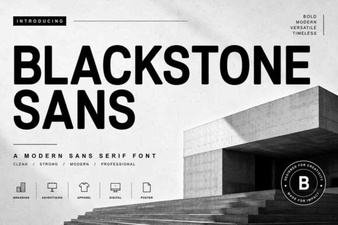 Blackstone Sans: Modern Design Versatility
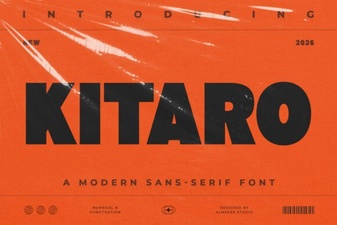 Kitaro Font – Free Sans Serif Typeface for Modern Design
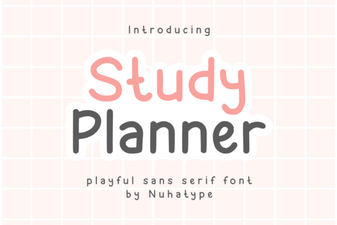 Studdy Planner Font Free Download - Modern Sans Serif Typeface
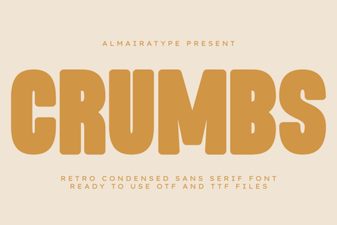 Crumbs Font: a Unique Handcrafted Typeface for Creative Projects
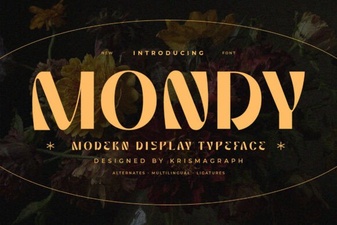 Mondy Font – a Modern Typeface for Bold Creative Projects
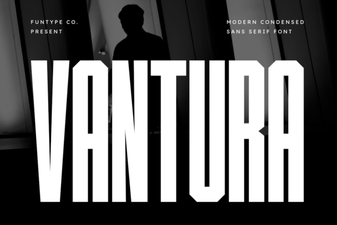 Vantura Font: Modern Typography for Creative Projects