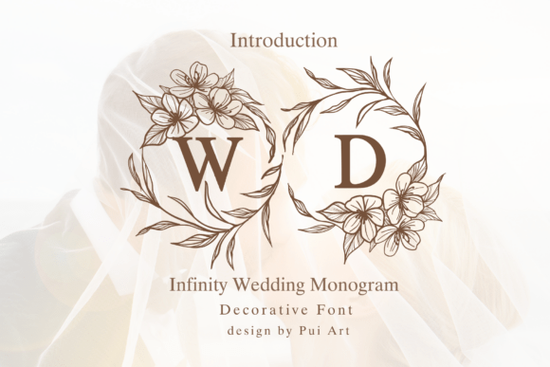
The Infinity Wedding Monogram Font is a decorative typeface designed around delicate floral wreaths and botanical line art. If you're working on wedding invitations, bridal logos, or personalized stationery, this font gives each letter a romantic, hand-drawn frame that looks polished without extra design work. It's built for crafters, designers, and small business owners who want elegant monograms ready to go.
You can explore more decorative font styles like this one if you're building a collection for wedding and event projects.
What Makes This Monogram Font Different from Other Wedding Fonts?
Most wedding fonts focus on either the letterforms or the ornaments rarely both. This font combines them into one. Every uppercase and lowercase character is wrapped in floral elements, so you don't need to layer separate wreath graphics or spend time aligning frames around your text.
That design choice matters when you're short on time. Here's what you get right out of the box:
- Ready-made floral monograms each letter comes framed with botanical details
- Consistent sizing characters are balanced for pairing on invitations and cards
- Romantic styling soft curves and line art that feel timeless, not trendy
- Works across projects from Cricut cuts to sublimation prints to digital files
If you're comparing options, the Infinity Wedding Monogram Font stands out for its built-in ornamental detail, which saves real editing time on tight deadlines.
What Projects Can You Use This Font For?
This font works well anywhere you need a romantic, upscale monogram look. Designers and crafters commonly use it for:
- Wedding invitations and save-the-dates
- Bridal shower signage and menus
- Custom couple monograms for gifts
- Engagement party stationery
- Luxury branding for wedding planners and florists
- Sublimation designs on mugs, ornaments, and apparel
- Greeting cards with a handcrafted feel
- Print-on-demand products for Etsy or Shopify shops
The botanical framing around each character makes single-initial designs especially striking perfect for wax seals, favor tags, or cake toppers where one letter needs to carry the whole visual.
Does It Work with Cricut and Sublimation Software?
Yes. This font installs like any standard typeface and works in Cricut Design Space, Silhouette Studio, Adobe Illustrator, Canva, and other design platforms. For Cricut users, keep in mind that detailed floral elements may need a weld or flatten action depending on your cut settings. For sublimation, the fine line art reproduces cleanly on coated surfaces at standard print resolutions.
If you're selling finished products, always do a test print or cut before listing the ornamental details look beautiful on screen, but physical materials can behave differently.
How Does It Pair with Other Fonts?
Because this font is decorative, it pairs best with a clean, simple serif or sans-serif for body text. Think of it as your headline or monogram font, not your paragraph font. A minimal script or modern serif alongside it keeps the layout readable while letting the floral details stand out.
For example, if you're designing a full invitation suite, you might use this font for the couple's initials and pair it with something like the Gayel font for supporting text elements. Mixing ornamental and minimal fonts gives your layout contrast without feeling cluttered.
You can also Gayel Font on Creative Fabrica if you want to see how it complements wedding-themed designs.
Is This Font a Good Fit for Small Businesses?
If you run a print-on-demand shop, offer custom stationery, or design branding for event clients, a reliable monogram font saves you hours over building wreath-and-letter compositions manually. The Infinity Wedding Monogram Font is licensed for both personal and commercial use, which matters if you're selling finished products.
It's especially useful for shops that take personalized orders being able to quickly generate a monogrammed initial for a client's order without extra graphic work keeps your turnaround fast.
Quick Checklist Before You Buy
- Test the full alphabet preview every letter and number to make sure the style fits your projects
- Check your software compatibility confirm the font installs and renders correctly in your design tool
- Review the license make sure commercial use is covered for your specific product type
- Plan your pairings have a clean body font ready to use alongside it
- Do a physical test print or cut a sample before listing products for sale
Next step: Download the font, open your design software, and type out a full test monogram using your client's initials. Check how the floral details render at your final output size that one test will tell you more than any preview image can.
Download Now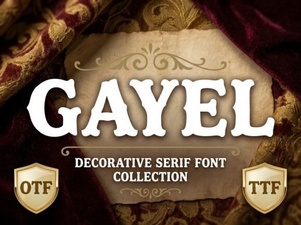 Gayel Font: a Stylish Creative Typeface for Modern Designers
 Blackstone Sans: Modern Design Versatility
 Creative Uses for the Western Font in Design Projects
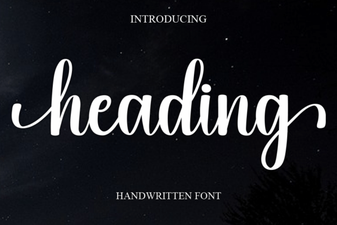 Choosing the Right Heading Font for Bold Design Impact
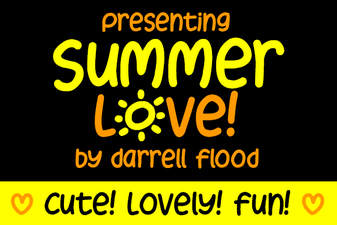 Summer Love Font – Beautiful Script for Creative Projects
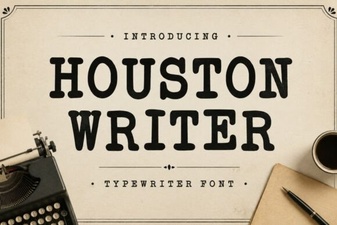 Houston Writer Font for Creative and Modern Design Projects